
Delivery
Set up delivery and pick-up
Customers pick how they get their order at checkout. You decide which choices they see: you deliver it, they pick it up, or both.
About 2 minutes · 3 steps
1
Open your store settings
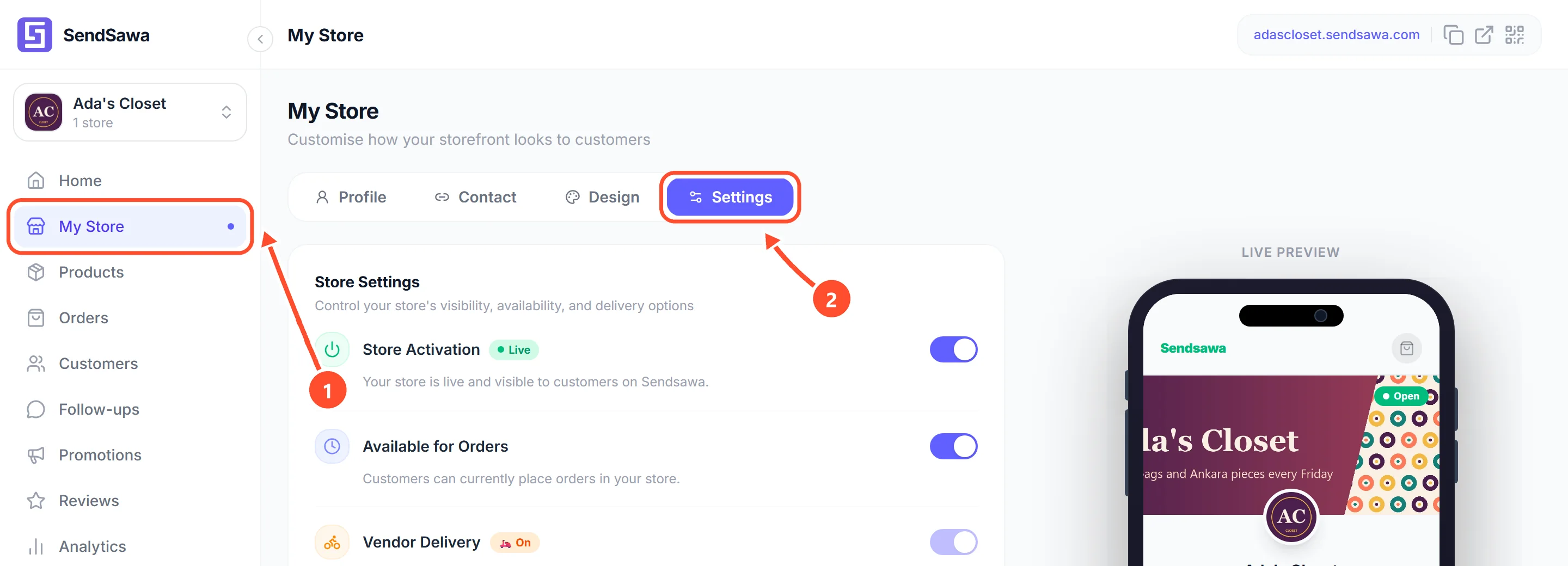
Tap My Store in the menu 1, then tap the Settings tab 2.
 See bigger
2
Choose delivery, pick-up or both
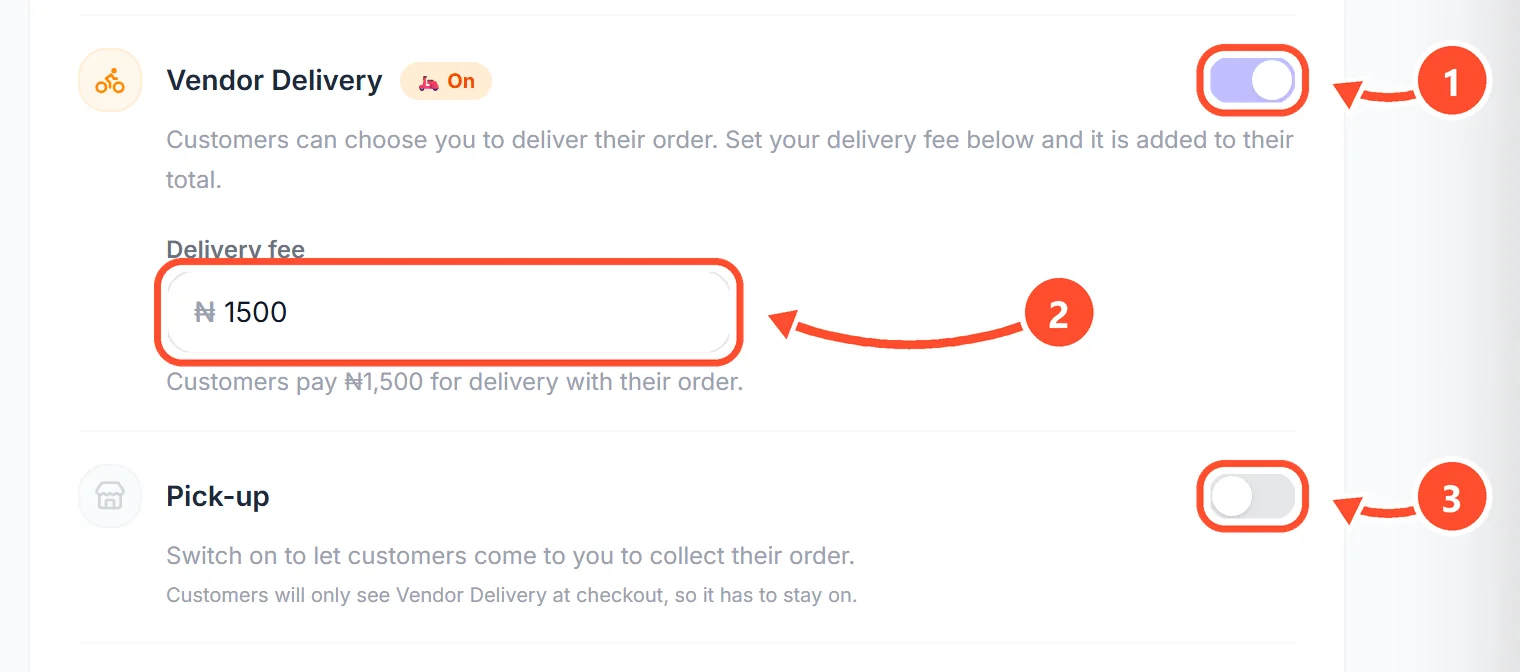
Switch on Vendor Delivery 1 if you deliver orders yourself or with your own rider. Type your delivery fee 2. It is added to what the customer pays. Switch on Pick-up 3 if customers can come to you to collect. At least one has to stay on.
 See bigger
3
Save
Scroll back to the top and tap Save.
 See bigger