
Getting paid
Connect your bank account
When a customer pays by card through Korapay, the money comes to Sendsawa first and we send it to your bank account. Customers who pay by bank transfer also see this account at checkout. Add it once and you are set.
About 2 minutes · 4 steps
1
Open Payouts
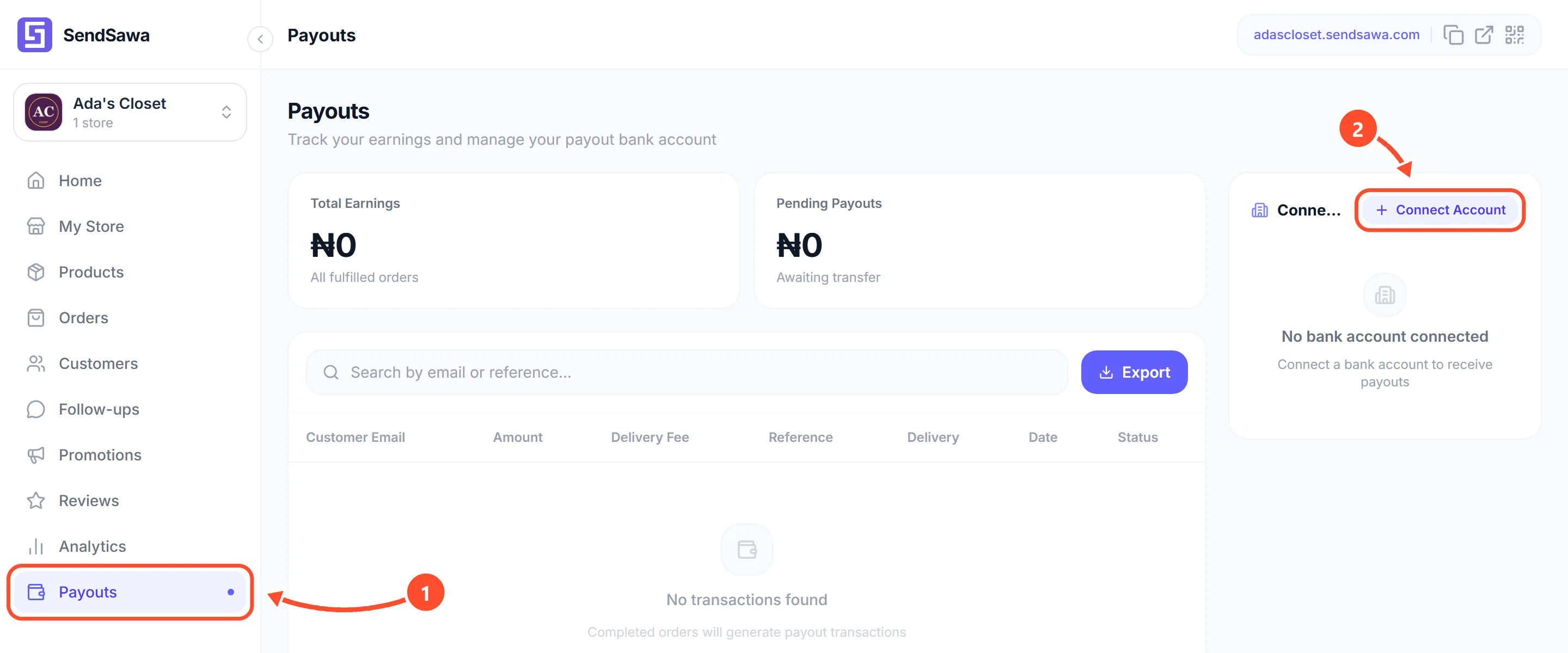
Tap Payouts in the menu 1, then tap Connect Account 2.
 See bigger
2
Choose your bank
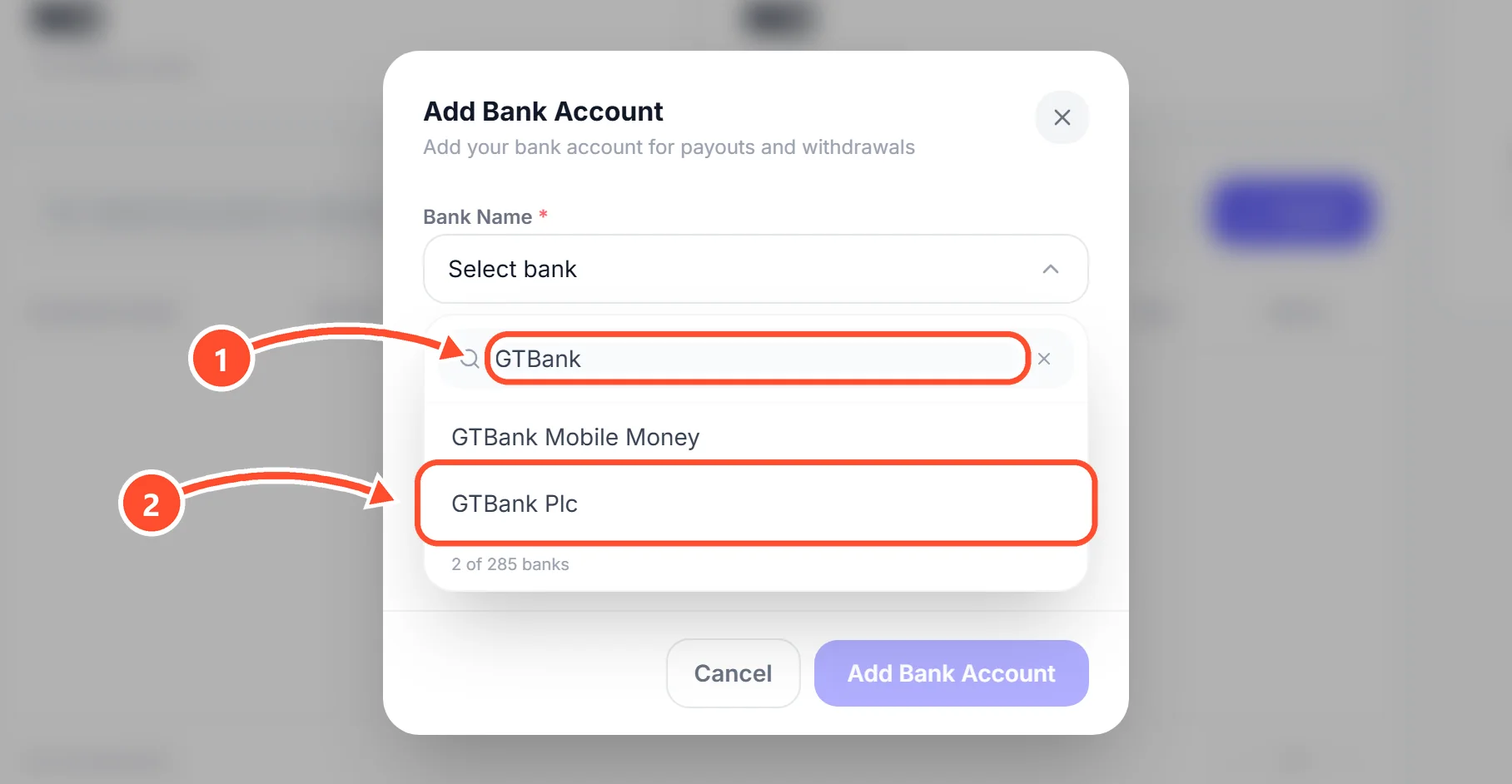
Tap Select bank. Type part of your bank's name in the search box 1, then tap your bank in the list 2.
 See bigger
3
Type your account number and verify
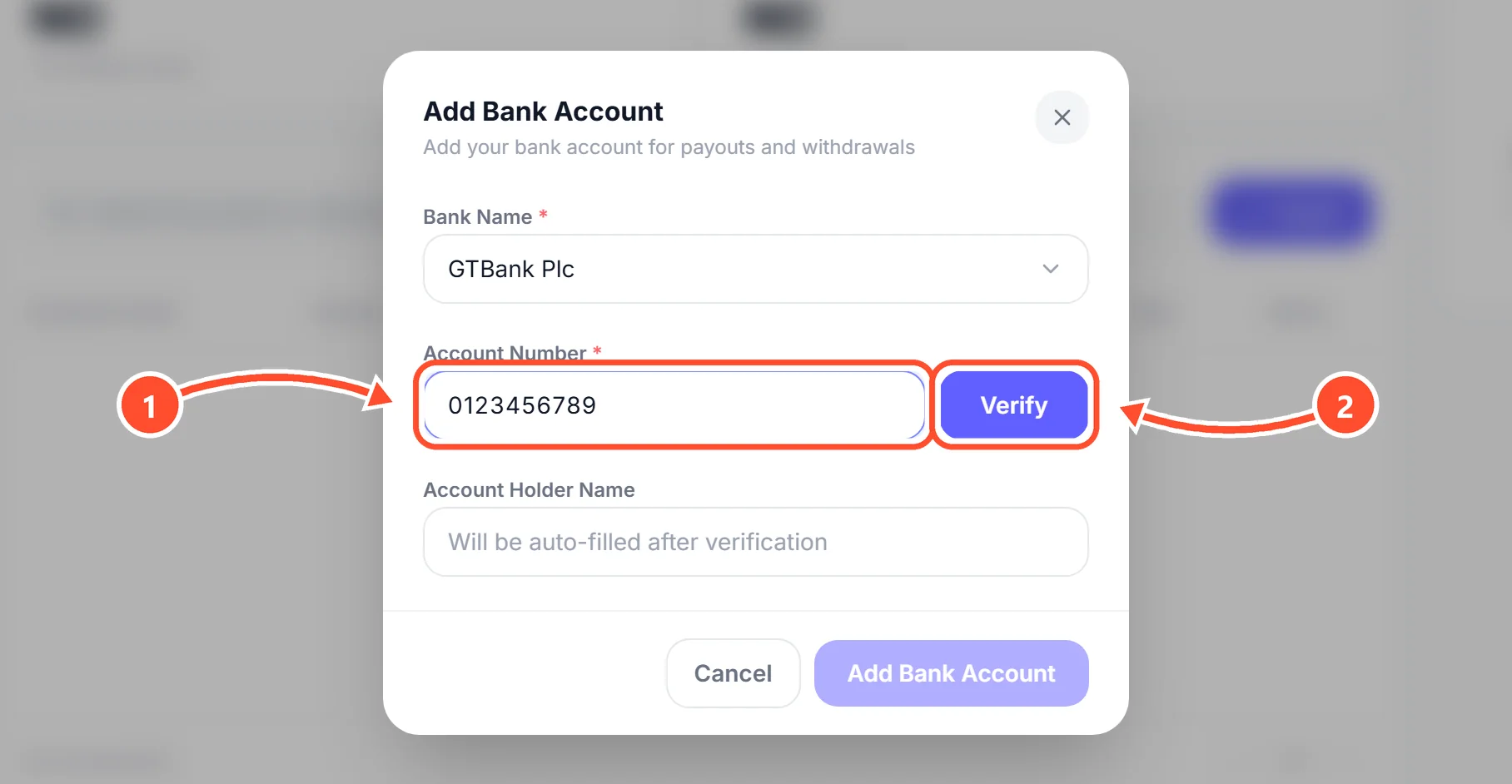
Type your 10-digit account number 1, then tap Verify 2. We check the number with your bank.
 See bigger
4
Check the name and save
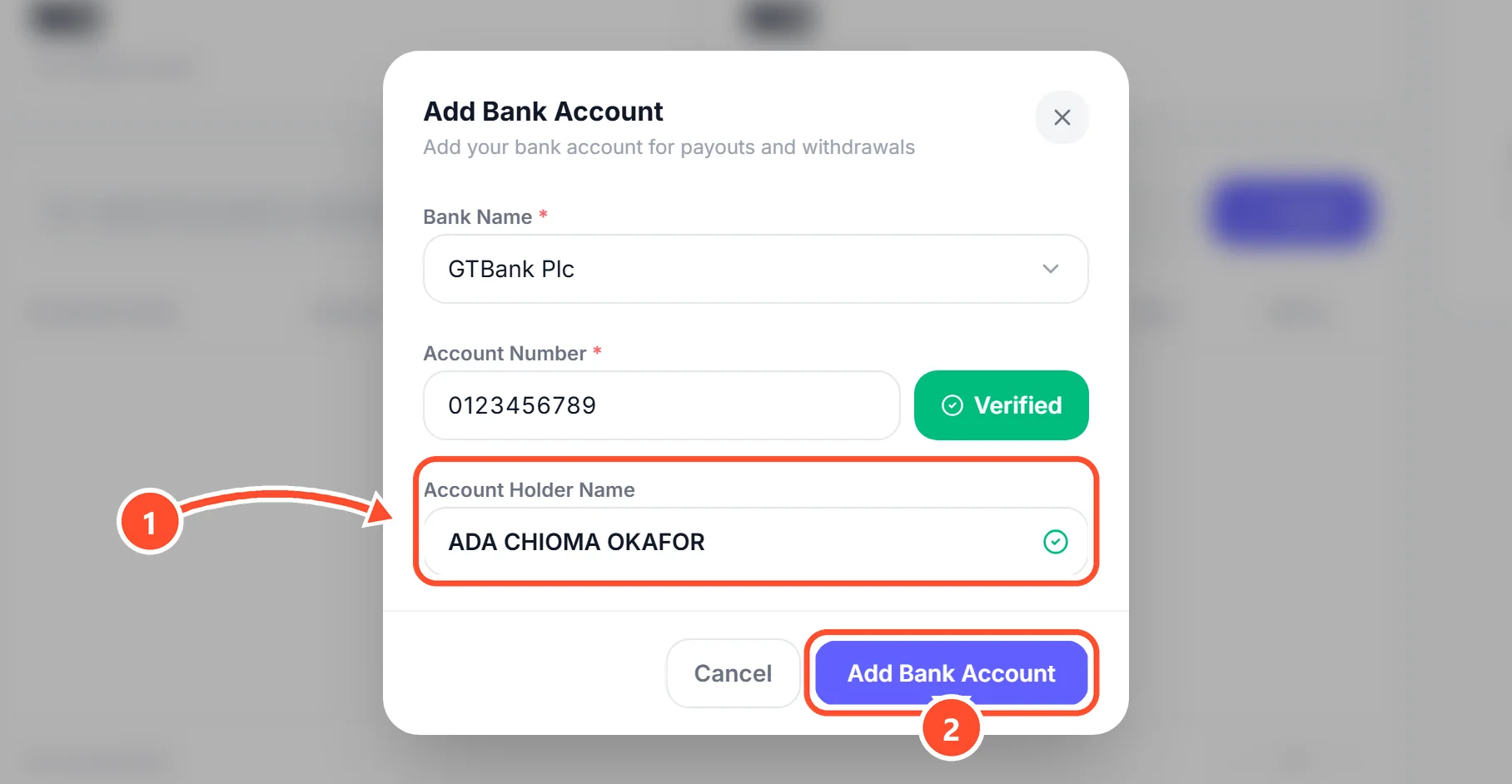
The name on the account shows up 1. Make sure it is your name or your business name, then tap Add Bank Account 2.
 See bigger